1. Choose a game and order it through the webshop, the price is €19.99 per group of up to 5 participants. Each participant can play the game on his or her own smartphone. We will then create the game and send you by email a code to play the game. Please note, it usually takes a day before you receive this code. If you want to play the game right away then option 2 is more convenient.
2. It is also possible to buy the game in the app itself, in which case the price is €9.99 per person.
Download The Citygames app is available for free download in the Google play store and in the App Store by typing in “Citygames app.” It is also possible to find the App by clicking on the App Store or Google Play logo below. After you install the Citygames app choose “Allow location,” otherwise the app cannot receive a GPS signal and the game cannot be played.
Step 1
When the app appears, enter the code we emailed you in the empty box, for example, ZX812389. Your game will then become clickable and appear.
We currently offer in 141 cities across the Netherlands, Germany, England, France and Belgium 6 different games. All games can be played in Dutch, English, German, French and Spanish. This can be set during play on any Smartphone at the 3 dots at the bottom right.
Scherm 2 CGA
Step 2
The game of your choice appears and all you have to do is click “play” and it begins. If you want to play the game later you can just close the app and restart it when you want to play the game.
Step 3
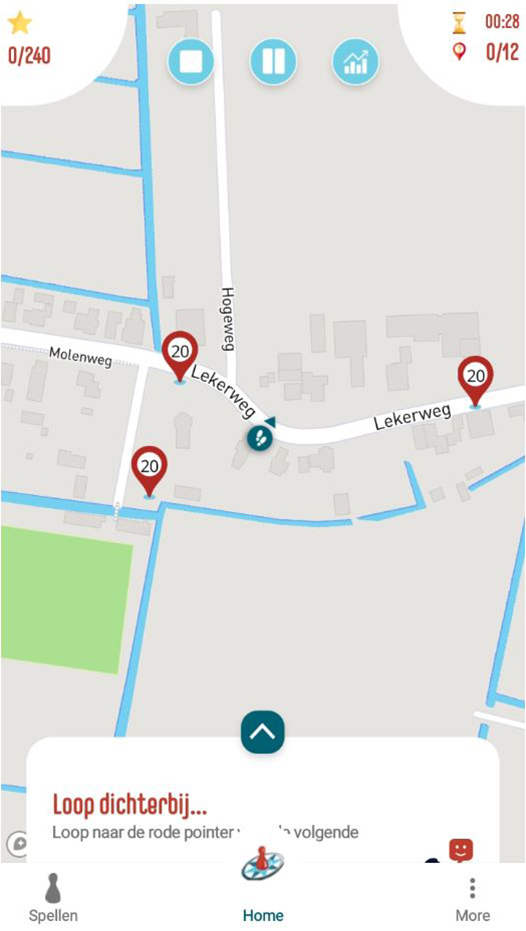
Then the game begins. You yourself are the footsteps and you see yourself moving through the city as you play. When you are within 15 meters of a red pointer, a multiple choice question appears.
In The Holy Grail and the Find the Treasure game, the idea is to go off the pointers in order. In these games, the red pointer does not show the score but the number of the question. So you always start these games at pointer 1, then move to pointer 2 and so on.
Step 4
The answer to the question can always be found at the highlight. So look carefully for years, signs and other markings around the highlight.
If you got the answer right, scroll down to read background information on this highlight. Did you answer the question wrong? No problem, you can try again. Have fun!
Tips While Playing 1. Make sure your smartphone is sufficiently charged or bring a power bank. 2. When pausing turn off the screen, this will also save your battery. 3. Be cautious with maximum screen brightness to save battery life. 4. The Holy Grail game and the Pirate game are played in order. In the information about the city you will find the address of the starting point. 5. Very occasionally the GPS signal is lost and the game crashes. If that does not work, click on the “Continue playing” icon and select the game you were playing and continue. If that does not work you can also close the app and restart it to continue your game.